Event List
The event list uses a table to display an enterprise's event information. As a type of panel, the event list can be saved independently as an event list panel under a specific element, or added to a dashboard.
Saving Event List Panels
Click the "Events" main menu, then click the "Event Filters" on the left to enter the event query page. Enter filter conditions to query the events of interest. As shown in the figure, click the "Save as Panel" button to save the current query results as an event list panel.
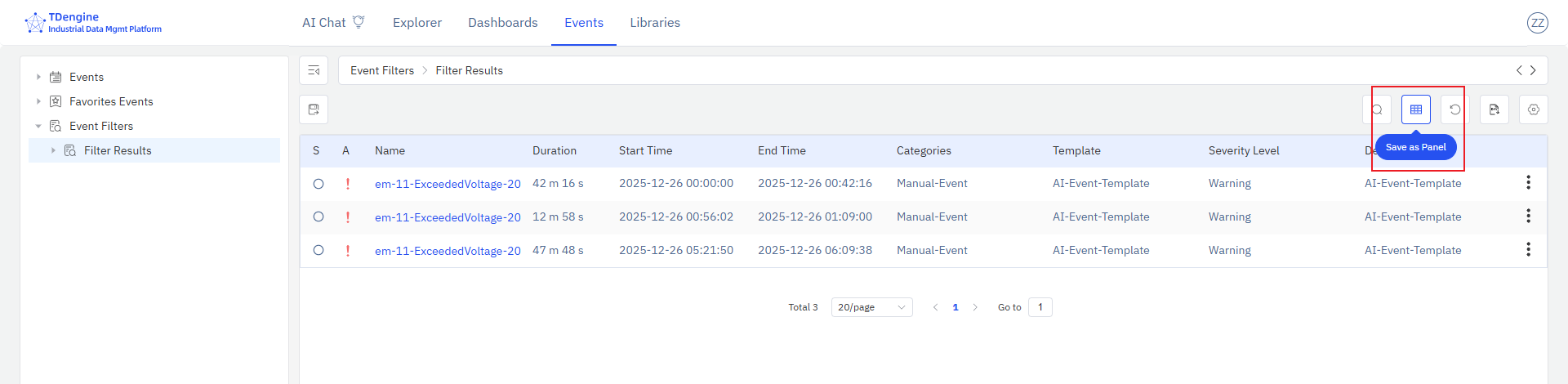
Configure the query conditions and select the columns to display. Then click the "Save as Panel" button to save the current query results as an event list panel. After the event list is saved, the panel preview page opens automatically. You can also go to the "Panels" tab of the saved element to view the newly saved event list panel.
